

Running out of your best-seller two weeks before the holidays is painful. So is writing off a pallet of product that sat in your warehouse for eight months because you ordered too aggressively. Most product businesses live somewhere between those two disasters, making inventory calls based on gut feel, last year's spreadsheet, and whatever the sales rep said was "flying off shelves."
AI-powered demand forecasting is a real and practical fix for this — not magic, not a $500,000 enterprise rollout, and not something that replaces your judgment. This guide explains how it actually works, what it needs to function, where it earns its keep, and where you still have to make the call yourself.
What AI Demand Forecasting Actually Does
At its core, demand forecasting is a pattern-recognition problem. You have historical sales data. You have variables that affect demand — season, day of week, promotions, price changes, local events, weather in some cases. A human brain can hold a few of these variables in mind at once. A forecasting model can hold all of them simultaneously, across every SKU you carry, and update the predictions as new data comes in.
The practical outputs look like this:
- Predicted demand by SKU over the next 30, 60, or 90 days
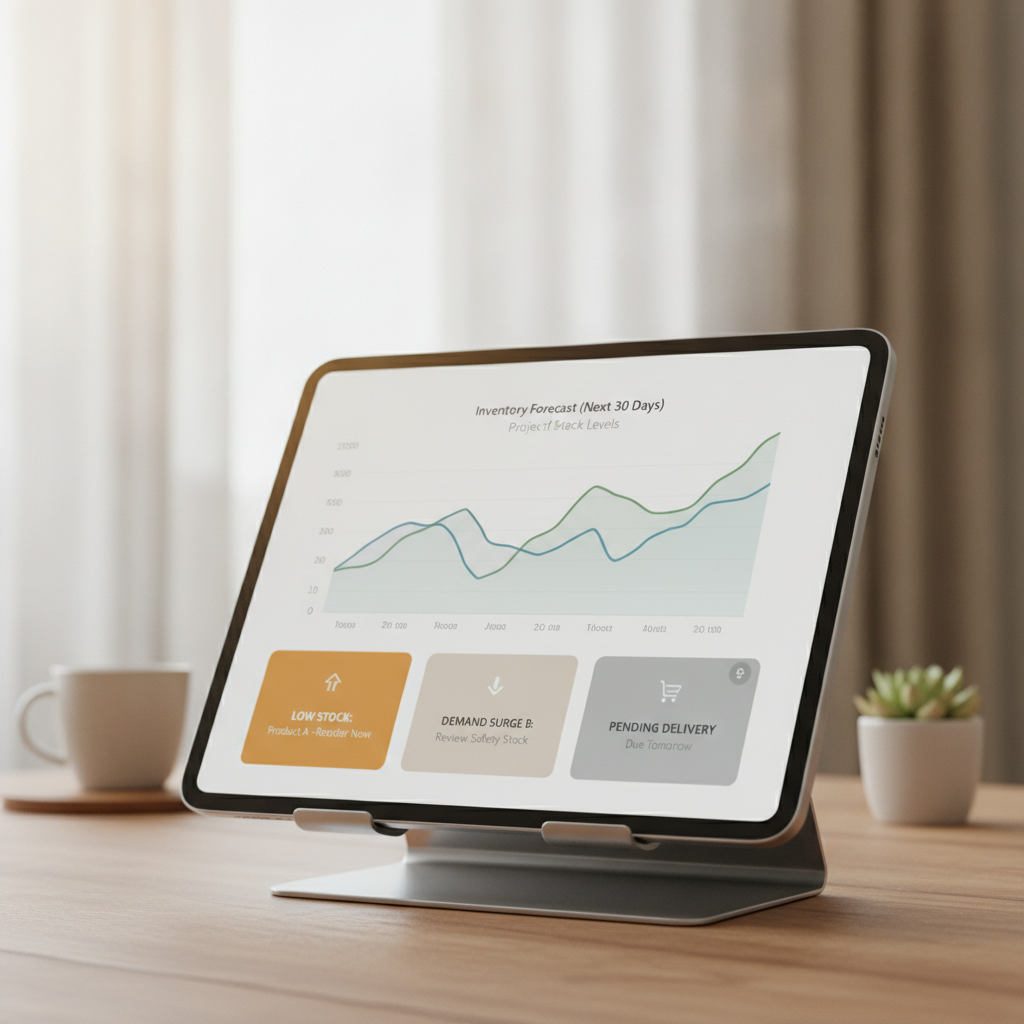
- Reorder point alerts — "at your current sales pace, you'll hit safety stock on this item in 18 days"
- Overstock flags — "you have 14 weeks of supply on this SKU based on current velocity"
- Seasonality adjustments — the model learns that you sell three times as many of a certain item in October and factors that in automatically, without you having to remember to adjust manually
This is different from a simple moving average or a formula in a spreadsheet. A moving average treats last month the same as last October. A forecasting model learns that October is structurally different, that a price promotion in week two of the month lifts volume by roughly X%, and that demand dropped the week a competitor ran a big sale — and it uses all of that context together.
The Three Problems It Solves (and What They're Worth)
1. Stockouts
Every stockout has a cost: the lost sale, the customer who bought from a competitor and maybe didn't come back, the expedited shipping you paid to get product in a rush. Most small businesses undercount this because lost sales don't show up in the P&L — only costs do. A forecasting tool that flags a probable stockout two to three weeks out gives you time to reorder at normal freight rates and keep the shelf full.
2. Overstock
Overstock costs show up everywhere: cash tied up in product sitting in a warehouse, storage costs, markdowns to move it, and sometimes write-offs if it's perishable or seasonal. A model that tells you "you have 22 weeks of supply on this SKU and demand is slowing" lets you stop reordering before you dig the hole deeper.
3. Planning time
The hidden cost of manual inventory management is hours — yours or a staff member's — reviewing sales reports, updating spreadsheets, and doing mental math on reorder quantities. When the system flags the SKUs that need attention, instead of requiring you to review all of them, you buy back meaningful time every week.
What the Tools Look Like (and What They Cost)
You don't need to build a custom model or hire a data scientist. There are three tiers worth knowing about:
Built into your existing stack. Shopify has basic forecasting in its higher-tier plans. QuickBooks Commerce, Cin7, Brightpearl, and similar inventory management platforms have forecasting features included or as add-ons. If you're already paying for one of these, check whether the feature is sitting unused — it often is.
Dedicated forecasting tools. Products like Inventory Planner (now part of Brightpearl), Streamline, or Fuse Inventory plug into your existing sales channels (Shopify, WooCommerce, Amazon, etc.) and provide more sophisticated forecasting than most built-in tools. These typically run $100–$500/month depending on SKU count and complexity. For a business doing $1M+ in product revenue, even modest improvement in inventory efficiency tends to cover this quickly.
AI-native analytics platforms. Tools like Inventory-specific modules in platforms like NetSuite or more advanced demand planning software are overkill for most small businesses, but worth knowing about if you're scaling fast.
The Non-Negotiable: Clean Sales Data
Here is where most small business AI projects quietly fail, and it's worth being direct about it.
Every one of these tools runs on your historical sales data. Specifically, it needs:
- At least 12–24 months of sales history per SKU to detect seasonality reliably. Less than that and the model is extrapolating more than it's learning.
- Consistent SKU/product identifiers across your records. If you've renamed products, merged variants, or migrated platforms and your item codes changed, the tool sees broken history.
- Data that reflects real demand, not just fulfilled orders. If you were regularly stocking out, your sales data understates actual demand. The model doesn't know what you could have sold.
- External events tagged or excluded. A one-time liquidation sale, a viral social media moment, a flood that shut your warehouse for two weeks — these distort patterns. Most tools let you flag anomalies; if you don't, the model learns the wrong lesson.
If your data is messy — and for a lot of businesses that have been running for years across multiple systems, it will be — the output of any forecasting tool will reflect that mess. Garbage in, confident-sounding garbage out. This is the gap that causes frustration with these tools. The fix isn't a better algorithm; it's cleaner data, which sometimes means a cleanup project before you get value from forecasting.
This is the kind of data readiness assessment we do with clients before recommending any tooling — because the right tool for bad data is a data cleanup plan, not a more expensive piece of software.
Where Your Judgment Still Rules
AI forecasting is very good at "what will demand look like if the future resembles the past." It is not good at:
New products. No history means no forecast. You're on gut instinct and comparable product analysis until you have 6–12 months of sales data.
One-time external changes. A competitor going out of business, a raw material shortage that will constrain your supply, a shift in your marketing strategy that will drive new customer acquisition — the model doesn't know any of this is happening. You do. You need to override the forecast when you know something the data doesn't.
Deliberate strategic changes. If you're planning to discontinue a product line, expand into a new channel, or run a major promotion, you need to adjust inputs manually. The model will otherwise forecast based on business-as-usual.
High-risk or long-lead items. If you have SKUs with 16-week lead times from overseas manufacturers and you miss the reorder window, no forecast changes that. For these, your buffer strategy and review cadence matter as much as the forecast itself.
The useful mental model: treat AI forecasting as a very sharp analyst who knows your sales data cold but knows nothing about your business decisions, your relationships, or what's happening in the world. You're still the one running the business.
How to Start Without Overcommitting
If you're not using any forecasting tooling today, here's a sensible sequence:
-
Audit your data first. Pull 24 months of sales by SKU and look at it honestly. Are the identifiers consistent? Are there gaps or anomalies you'd need to flag? This tells you how ready you are.
-
Start with your highest-stakes SKUs. Don't try to forecast everything on day one. Pick your top 20 by revenue, or the products where stockouts or overstock have cost you most. Run the tool on those and validate the outputs against your own intuition before trusting it more broadly.
-
Use the tool for alerts, not just reports. The real value isn't a spreadsheet of predictions — it's a notification that says "act on this item now." Configure reorder point alerts and actually use them.
-
Build a review cadence. Forecasting tools don't run themselves. A weekly 30-minute review of flagged items, combined with a monthly look at overall inventory health, captures most of the value. If nobody owns this task, the tool will collect dust.
-
Track the wins. Note stockouts avoided, overstock you didn't order, expedited freight you didn't pay. This is how you know whether the investment is working — and it's often more substantial than people expect.
The Honest Bottom Line
AI demand forecasting is one of the higher-ROI applications for product-based small businesses, precisely because inventory mistakes are expensive and repetitive. It's not complicated to implement at the small business level, the tools are affordable, and the math works — better-predicted demand means less cash tied up and fewer firefights.
The realistic caveat: it requires clean enough data to learn from, and it requires someone to own the process. It won't rescue a business with two years of inconsistent records and no one responsible for inventory planning. But if you have reasonable sales history and a willingness to spend a few hours setting it up correctly, the tools available today are genuinely capable.
If you want to know whether your business is ready to get real value from demand forecasting — and what a sensible implementation would actually look like for your product mix and data situation — let's talk. A single conversation is usually enough to tell you whether this is a quick win or a cleanup project first.