

Most small business owners don't get blindsided by cash flow because they're bad at business. They get blindsided because they're running the business—handling customers, managing staff, putting out fires—and the financial picture is always a few weeks behind where it needs to be.
By the time QuickBooks shows you a problem, you're already in it.
AI-assisted cash flow forecasting changes that dynamic. Not by doing magic, and not by replacing your accountant—but by turning the data you're already generating into a rolling, forward-looking picture you can actually act on. Here's how it works, what it's honest about, and how to tell if it's worth your time.
Why Cash Flow Forecasting Is Hard for Growing SMBs
You probably know your current bank balance. You might know your receivables. But cash flow forecasting means combining a dozen moving parts—when invoices actually get paid (not when they're due), recurring expenses, seasonal dips, payroll timing, upcoming vendor bills—and projecting them forward 30, 60, or 90 days.
That's genuinely hard to do in a spreadsheet, not because the math is complicated, but because the inputs are a mess spread across your accounting software, your bank feeds, your invoicing tool, and your own head. Most owners either skip the forecast entirely, or do a rough mental model that misses the timing of things.
Timing is exactly where cash flow problems live.
What AI Actually Does Here
Modern AI forecasting tools—either standalone apps or features now built into accounting platforms like QuickBooks, Xero, and FreshBooks—pull from your existing transaction history and use it to build a forward-looking model.
Concretely, here's what that looks like:
It learns your patterns. If your receivables consistently run 22 days late even though your terms say net-15, the model learns that. It uses your actual payment behavior, not the ideal version of it.
It projects forward from your pipeline. Outstanding invoices, recurring subscriptions, known upcoming expenses—the tool rolls these into a cash position forecast, typically 13 weeks out, updated automatically as new data comes in.
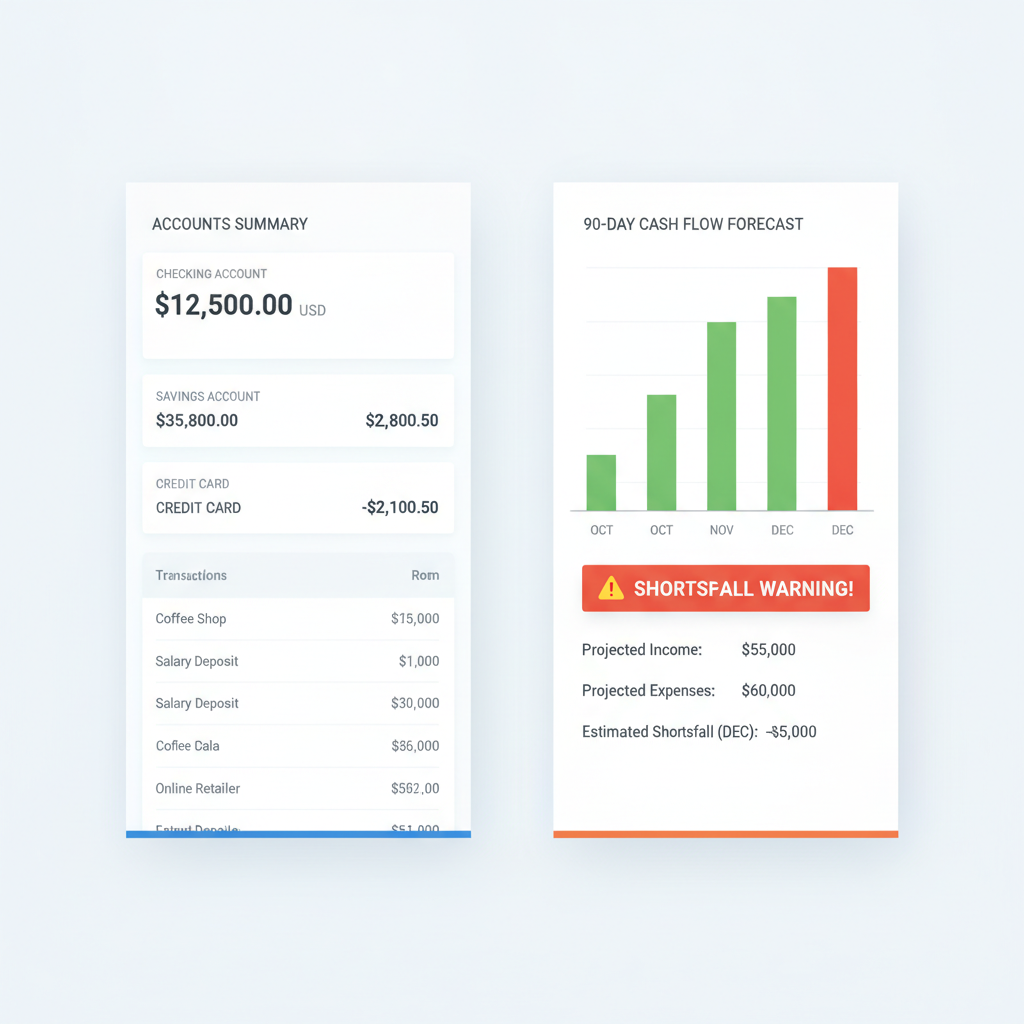
It flags a shortfall before it arrives. Instead of discovering in week four that you're going to be short in week six, you see a warning in week one—when you still have options.
It lets you run simple what-ifs. This is the feature most owners underuse. What does cash look like if your biggest client pays 30 days late? What if you add a $6,000/month employee next quarter? What if you have a slow January? Good forecasting tools let you toggle these scenarios and see the downstream impact immediately—without rebuilding a spreadsheet from scratch.
The Tools Worth Knowing About
You don't need a CFO or a custom software build to do this. Several options work well for SMBs:
Built into your accounting software: QuickBooks Cash Flow Planner and Xero's short-term cash flow tool are functional starting points if you're already using those platforms. They're not the most sophisticated, but they're free with your subscription and require zero new integrations.
Dedicated forecasting tools: Float (floatapp.com) and Dryrun are designed specifically for cash flow forecasting and offer cleaner what-if modeling. They sync with QuickBooks and Xero, so setup is lighter than you'd expect. These are worth the $50–$100/month if your cash flow has meaningful complexity—seasonal swings, multiple revenue streams, or fast growth.
AI-native finance tools: Tools like Basis (for mid-market) or even well-configured AI assistants connected to your accounting data can answer natural-language questions like "when will I go below $30K in cash if I don't collect these three invoices?" This is emerging territory but advancing fast.
For most SMBs with 5–50 employees, start with what's already in your accounting software, see if the visibility is useful, and upgrade to a dedicated tool if you find yourself constantly wanting more.
The Honest Part: Forecasting vs. Predicting
AI forecasting is only as good as your historical data and the assumptions baked into the model. It doesn't know your biggest client is about to call and pause their contract. It doesn't know you're about to land a deal you've been chasing for months.
This matters for two reasons:
First, garbage in, garbage out. If your books aren't reasonably clean and current, the forecast will mislead you. AI cash flow tools require that your accounting data is actually up to date—categorized transactions, reconciled accounts, invoices logged. If you're three months behind on bookkeeping, fix that first.
Second, a human needs to sanity-check the output. The forecast gives you a starting point, not a verdict. You look at it and say, "okay, it's projecting a $40K shortfall in week eight—but I know I'm closing a deal next week that will change that." Or: "that shortfall is real and I need to think about a line of credit now rather than then." The AI generates the picture. You interpret it with context the tool doesn't have.
Think of it less like a prediction and more like a weather forecast. An 80% chance of rain doesn't tell you exactly what will happen—but it tells you to bring an umbrella. A cash flow forecast showing a projected shortfall at 60 days doesn't tell you exactly what will happen—but it tells you to act now, not later.
What This Looks Like in Practice
Say you run a 20-person marketing agency. Revenue is project-based, clients pay inconsistently, and you're thinking about hiring a senior strategist—call it $90,000 all-in annually.
Without forecasting, the hire decision is a gut call based on current pipeline and a rough sense of how things are trending.
With a cash flow forecast, you can model: if the strategist starts in 60 days, and my two current proposals convert at historical rates, and my existing clients pay on their usual timeline—what does cash look like through the end of the quarter? If the model shows you staying comfortably above your floor, the decision is easier to make with confidence. If it shows you threading a needle, you know to either time the hire later, accelerate a receivable, or draw on a credit facility.
That's not AI making the decision. That's AI giving you the information to make a better one.
Getting Started Without Overcomplicating It
If you want to try this without a big project:
- Get your books current. This is the prerequisite. Clean, reconciled data through last month.
- Turn on the forecasting feature in your existing tool. QuickBooks and Xero both have it. Spend an hour with it before buying anything new.
- Run one what-if scenario that keeps you up at night. Your slowest month. A big hire. A client churning. See what the numbers say.
- Check it weekly, not monthly. Cash flow forecasting's value is in the lead time it gives you. A monthly review cuts that lead time in half.
If the built-in tool feels limited, that's a useful signal—it means your situation has enough complexity to justify a dedicated forecasting tool or a short engagement to set one up properly.
Cash flow surprises don't usually come from nowhere. They come from information that was available—just not organized in a way you could see in time. That's a solvable problem, and it's one of the cleaner, more immediate ROI cases for AI in a small business.
If you want to think through how this would work for your business specifically—what tools make sense, what your data situation requires, and whether a broader financial visibility setup would pay off—let's talk. A focused strategy conversation is a good place to start.