

There's a moment that happens a lot in AI projects: a business owner buys a tool, connects it to their systems, and waits for the magic. Then the results come back wrong, or thin, or weirdly off — and everyone blames the AI.
Usually, the AI isn't the problem.
The problem is what the AI had to work with.
AI tools — whether you're using one to answer customer questions, summarize contracts, forecast inventory, or generate reports — don't conjure insight from nothing. They find patterns in your data. If your data is incomplete, inconsistent, scattered across six different places, or just plain wrong, the AI will faithfully reflect all of that back to you, polished and confident-sounding. That's actually worse than getting no answer.
Getting your data ready before you adopt AI isn't glamorous work. Nobody puts "cleaned up our CRM" in a press release. But it is, genuinely, the thing that determines whether your AI investment pays off or quietly disappoints you for the next eighteen months.
Here's what that prep work actually looks like — and why it's worth doing before you spend another dollar on AI tools.
Why "Just Add AI" Doesn't Work
The sales pitch for most AI tools implies that you connect the software to your business and it figures the rest out. This is true in the same way that "just add eggs" is true for a soufflé. Technically accurate, leaves out everything that matters.
AI tools are pattern-recognition engines. They're extraordinarily good at finding structure in large amounts of information — but only if that information has enough consistency and completeness for patterns to exist. When your data is messy, here's what actually happens:
The AI confidently gives you wrong answers. A chatbot trained on your product documentation will tell customers incorrect things if that documentation is outdated. A forecasting tool will make bad predictions if your historical sales data has gaps or duplicate entries. The tool doesn't know your data is bad; it just works with what it has.
Results vary wildly and unpredictably. If the same customer is recorded as "Acme Corp," "ACME," "Acme Corporation," and "acme co." in four different places, any AI trying to pull a customer history is going to miss things. Inconsistency isn't just a quality problem — it's an invisibility problem. Data the AI can't find might as well not exist.
You can't trust the output, so you stop using it. This is the quiet death of most small business AI projects. The tool technically works; you just can't rely on what it produces, so adoption stalls. The software gets shelved. The investment gets written off.
None of this is a knock on AI. It's just an honest description of what AI can and can't do. The technology has real limits, and one of them is that it cannot fix upstream problems in your data. That's your job first.
Step 1: Know What Data You Actually Have
Before you can fix anything, you need a clear-eyed inventory — the same data reality check a proper AI audit runs before recommending anything. Most small businesses are surprised by what they find — not because the data is so terrible, but because it's so scattered.
Walk through every place your business stores information:
- Your CRM (or the spreadsheet you're using instead of a CRM)
- Your accounting software
- Email inboxes and shared drives
- Your website backend and e-commerce platform
- Any industry-specific software (scheduling tools, project management, inventory systems)
- Paper records that haven't been digitized
Write it down. For each source, note: what's in it, who owns it, how old the data is, and whether it's regularly updated or just accumulating.
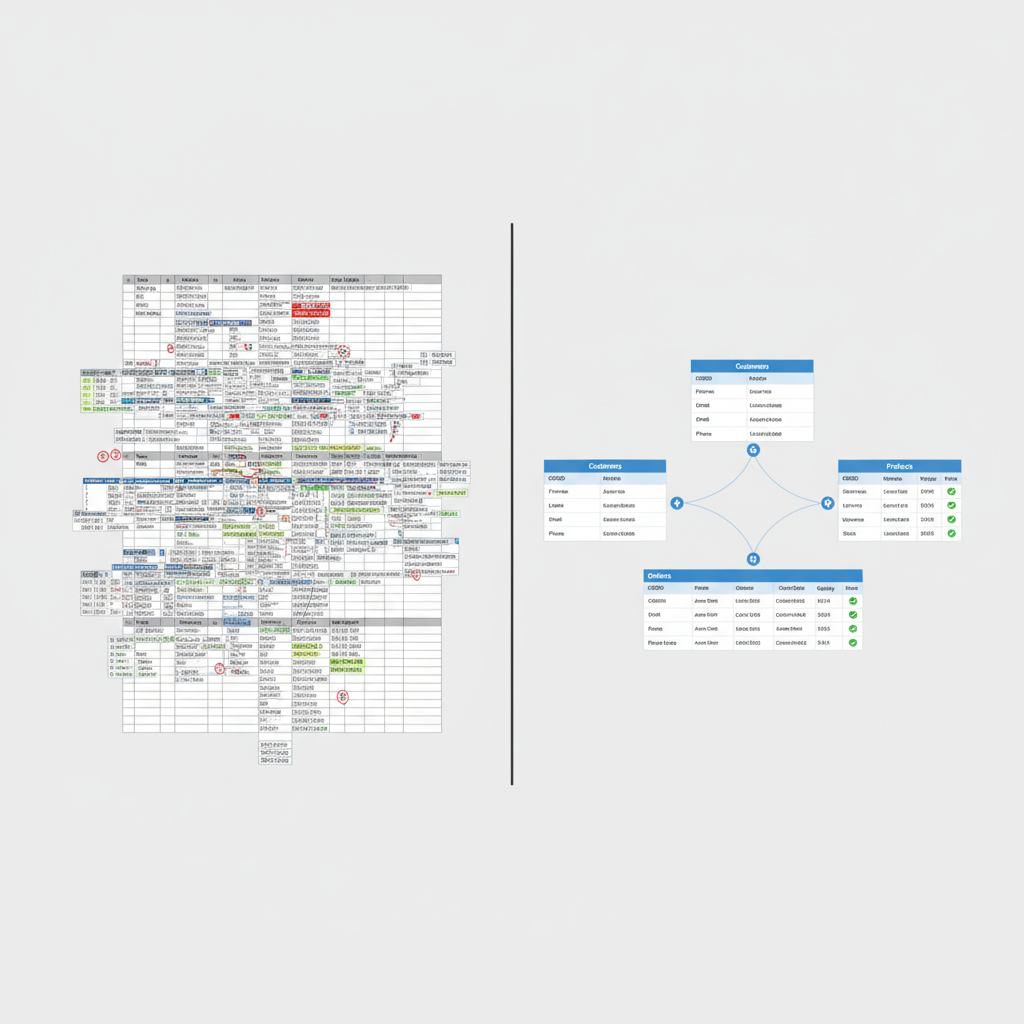
You're looking for three things: duplication (the same information living in multiple places, probably inconsistently), gaps (categories of information you should have but don't), and silos (data that would be useful combined but that nobody is connecting).
This audit usually takes a few hours for a small business. It's not exciting. It is genuinely one of the most useful things you can do before an AI project, because it tells you what you're working with — and what an AI tool will actually see when you connect it.
Step 2: Standardize Before You Automate
Standardization is the boring cousin of automation, and it matters more. If you automate a messy process, you get messy results faster. If you standardize first, automation (including AI) actually works.
The most common standardization problems in small business data:
Names and identifiers. Customer names, vendor names, product names — these need to be consistent everywhere. Pick a format and enforce it. "Acme Corp." is "Acme Corp." in every system, every time. This sounds trivial until you try to run a query across systems and realize you have seventeen variations of the same company.
Date and number formats. Does your team write dates as MM/DD/YYYY, DD/MM/YYYY, or "March 4th"? Do they enter phone numbers with dashes, parentheses, or spaces? Pick a format, document it, and update your existing records. AI tools that work with your data will handle consistent formats much better than a mix.
Categories and tags. If you're categorizing leads, products, or service types, your categories need to be finite and agreed-upon. "Hot lead," "warm," "HOT," "interested," and "maybe" are not a classification system — they're five people making up labels as they go.
Completeness requirements. Decide which fields in your key systems are non-negotiable. A customer record without a primary contact name and email is basically useless to an AI trying to personalize outreach. Enforce minimum data requirements going forward, and audit what you have now.
None of this requires software. It requires decisions, documentation, and some cleanup time. You can do it in a spreadsheet. The point is to make your data consistent enough that a tool querying it gets the same universe of information every time, not a random subset depending on who entered the record.
Step 3: Centralize What Needs to Be Together
AI tools are most powerful when they can draw on a complete picture — of a customer, a product, a project, or a time period. They can't do that if the relevant pieces live in systems that don't talk to each other.
You don't need to build a data warehouse. You need to think about what information should logically be connected, and whether it is.
Common situations worth fixing before an AI rollout:
Customer data split across CRM and accounting. Your CRM knows who your customers are and what they've expressed interest in. Your accounting software knows what they've actually bought and what they owe you. If those aren't connected, an AI trying to identify your best customers or predict churn is working with half the picture.
Documents stored wherever someone felt like saving them. Contracts in email, SOPs in someone's Google Drive, templates on the shared server, past proposals in a folder only the sales lead knows about. An AI that can summarize or search your documents can only work with documents it can actually access. If your knowledge is scattered, it stays scattered.
Operational data that's never been recorded. A lot of small businesses run partly on tribal knowledge — things known by certain people, never written down. If you want AI to help with operations, some of that knowledge has to be captured in a form the AI can read. That means documenting processes, decisions, and institutional knowledge before you connect any tools.
Centralizing doesn't always mean merging systems. Sometimes it means connecting them with an integration, or simply agreeing on which system is the "source of truth" for each type of information.
Step 4: Do a Targeted Data Cleanup
A full historical data cleanup is probably not worth doing. You'd spend six months fixing records from 2011 that nobody will ever need. Instead, focus on the data that will actually feed the AI use case you're planning.
If you're implementing an AI customer service tool, clean up your product documentation, your FAQs, and your policies. Make sure they're current, accurate, and formatted consistently.
If you're using AI for sales outreach, clean up your contact database. Remove duplicates, fill in key missing fields, and archive dead records that are just creating noise.
If you're using AI for financial analysis or forecasting, reconcile your historical records for the period the AI will analyze. Gaps and errors in that window will directly corrupt its output.
The principle: scope your cleanup to the data the AI will touch, prioritize recent over historical, and aim for "good enough to be useful" rather than "perfect." Perfect is the enemy of done, and good clean data in a focused area beats vaguely clean data everywhere.
Step 5: Put a Data Discipline in Place for What Comes Next
Even if you clean everything up today, it degrades if your team keeps entering data the old way. The last step is deciding — explicitly, not by assumption — how data will be handled going forward.
This doesn't need to be a policy manual. It needs to be:
- Clear ownership. Who is responsible for the accuracy of customer records? Product data? Financial records? Somebody should own each category.
- Agreed conventions. The formatting and categorization decisions you made in Step 2 need to be written down somewhere and shared with anyone who touches that data.
- A light review rhythm. Once a quarter, or once a month for high-stakes data, someone should spot-check. Not a full audit — just enough to catch drift before it compounds.
Data quality is maintenance work, not a one-time project. That's unglamorous but manageable if you build a light structure around it rather than treating it as a crisis every time AI output goes wrong.
The Bottom Line
AI tools are genuinely useful. Some of them will save small businesses real time and real money. But the ones that deliver do so because the business behind them had reasonably clean, centralized, consistent data for the AI to work with.
The "just add AI" narrative skips over the boring part because the boring part doesn't sell software. But it's the part that determines whether you're in the group of business owners who are actually getting value out of these tools, or the group that tried something, saw mediocre results, and moved on.
Getting your data ready isn't the whole job. It's the foundation that makes the rest possible.
If you're planning to adopt AI tools in the next six to twelve months and want to know exactly where your data stands — and what's worth fixing first — that's the kind of scoping work we do with clients before any implementation starts. Book a strategy call and we'll give you a clear-eyed look at what's actually holding you back.